2019年10月24日星期四

Autek ikey820 Programming Ford Key Perfectly

Here have collected two test reports about Autek ikey820 key programmer add new key to Ford USA cars without any issue. Hope it helps!

Test 1: Autek ikey820 add new key to Ford Ranger 2004 (AKL)
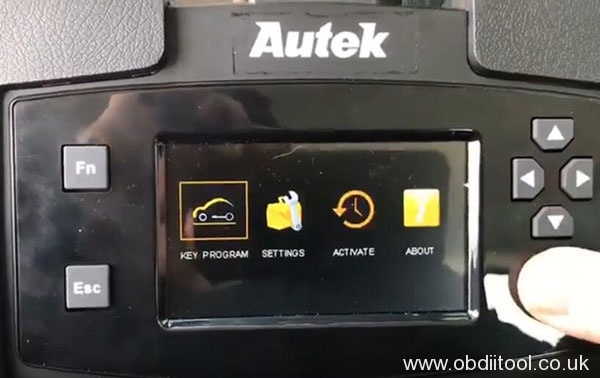
Enter “Key program” function to select car model/ year by vehicle
“Ford (USA)”-> “Ranger”-> “2004”
autek-ikey820-ford-usa-key-programming-1

autek-ikey820-ford-usa-key-programming-2

autek-ikey820-ford-usa-key-programming-4

autek-ikey820-ford-usa-key-programming-4

autek-ikey820-ford-usa-key-programming-7

Select “key” to load database
autek-ikey820-ford-usa-key-programming-6

Turn on the ignition switch
Select “Program key”
autek-ikey820-ford-usa-key-programming-7

Make sure not to start the car until 2 keys are programmed
autek-ikey820-ford-usa-key-programming-10

Insert the new key and turn ignition on
autek-ikey820-ford-usa-key-programming-10

ikey820 program new key success
autek-ikey820-ford-usa-key-programming-11


Test 2: Autek ikey 820 program Ford Explorer 2015 (AKL)
Connect ikey820 with vehicle
Operate same as program 2004 Ford Ranger
Select car model/year by vehicle
autek-ikey820-ford-usa-key-programming-11

autek-ikey820-ford-usa-key-programming-12

There is no original car key for this car, so here select “keyless”
autek-ikey820-ford-usa-key-programming-13

Then follow the prompt to turn ignition off
autek-ikey820-ford-usa-key-programming-14

Select “Add keyless” to put the new key into slot and turn ignition on
autek-ikey820-ford-usa-key-programming-16

autek-ikey820-ford-usa-key-programming-17

Wait for about 10 minutes to communicate
Autek ikey820 program key success
autek-ikey820-ford-usa-key-programming-17


Good news to know, new version Autek ikey820 added Ford (Euro)/ Mitsubishi/ Nissan car models
1.Added 2013-2016 Ford (Euro) Fiesta Key Programming
2.Added 2014-2018 Ford (Euro) Focus Key Programming
3.Added 2008-2013 Ford (Euro) Tourneo Connect Key Programming
4.Added 2012-2017 Ford (Euro) Tourneo Courier Key Programming
5.Added 2007-2013 Ford (Euro) Transit Key Programming
6.Added 2014-2017 Ford (Euro) Transit Key Programming
7.Added 2012-2014 Ford (Euro) Transit Custom Key Programming
8.Added 2004 Ford (Euro) C-MAX Key Programming
9.Added 2010-2019 Mitsubishi ASX Key Programming
10.Added 2010-2019 Mitsubishi ASX Keyless Programming
11.Added 2001-2004 Mitsubishi Diamante Key Programming
12.Added 2010-2012 Mitsubishi Eclipse Key Programming
13.Added 2010-2012 Mitsubishi Eclipse Remote Programming
14.Added 2008-2015 Mitsubishi Lancer Key Programming
15.Added 2008-2015 Mitsubishi Lancer Remote Programming
16.Added 2008-2017 Mitsubishi Lancer Keyless Programming
17.Added 2008-2015 Mitsubishi Lancer EVO Keyless Programming
18.Added 2014-2018 Mitsubishi Mirage Key Programming
19.Added 2014-2018 Mitsubishi Mirage Keyless Programming
20.Added 2001-2006 Mitsubishi Montero Key Programming
21.Added 2001-2006 Mitsubishi Montero Remote Programming
22.Added 2001-2004 Mitsubishi Montero Sport Key Programming
23.Added 2006-2019 Mitsubishi Outlander Key Programming
24.Added 2006-2019 Mitsubishi Outlander Remote Programming
25.Added 2007-2019 Mitsubishi Outlander Keyless Programming
26.Added 2006-2009 Mitsubishi Raider Key Programming
27.Added 2006-2009 Mitsubishi Raider Remote Programming
28.Added 2007-2009 Mitsubishi Raider Pincode Reading
29.Added 2011- Nissan March Keyless(Push-Start button) Programming
30.Added 2011- Nissan Note Keyless(Push-Start button) Programming
31.Added 2011- Nissan Tida Keyless(Twist) Programming

Please kindly notice:
AUTEK IKEY820 can be free upgraded for lifetime, but need to pay for the special function in the future.

2019年10月22日星期二

Vident iAuto702 Pro Benz 2018 E200L (W213) Reset EPB

Tutorial:How to reset EPB with Vident iAuto702 Pro for Benz 2018 E200L (W213)
Here you are:
vident-iauto-702pro-benz-2018-e200l-epb-reset-1

vident-iauto-702pro-benz-2018-e200l-epb-reset-2

Can you give me the EPB resetting method?
Of course! Please follow the step-by-step guides below.
Connect iAuto 702Pro device with your car
Enter application menu
Select “EPB V16.00”
vident-iauto-702pro-benz-2018-e200l-epb-reset-36

Loading data…
Pay attention to the prompt “Brake pad replacement”
1.If the brake pad wears the brake pad sense line, the brake pad sense lines sends a signal sense line to the on-board computer to replace the brake pad. After replacing the brake pad, you must reset the brake pad. Otherwise, the car alarms.
2.Reset must be performed in the following cases:
vident-iauto-702pro-benz-2018-e200l-epb-reset-4

Press “OK” to select car brand (Mercedes-Benz)
Then select “Manual Select”
vident-iauto-702pro-benz-2018-e200l-epb-reset-5

Select car models (213-E Class)
Switch on ignition
vident-iauto-702pro-benz-2018-e200l-epb-reset-6

Establishing vehicle communication…
Enter “Actual value”
Note:
*The vehicle must be at a standstill
*Secure the vehicle to prevent it rolling away
*Release parking brake
The status of right electric parking brake is open
[F3]: move to the assembly position
[F4]: Deactivate assembly position
vident-iauto-702pro-benz-2018-e200l-epb-reset-7

Press [F3] button
The right electric parking brake has been moved to assembly position
vident-iauto-702pro-benz-2018-e200l-epb-reset-8

Press [F2] to next
vident-iauto-702pro-benz-2018-e200l-epb-reset-9

Reset EPB success
vident-iauto-702pro-benz-2018-e200l-epb-reset-10


Besides EPB maintenance function, what can iAUto 702Pro do?
iAuto 702Pro is a multi-application service tool which can offer at least 19 maintenances to help workshops, technicians and enthusiasts alike in time. Besides EPB function, it also supports ABS/SRS Diagnosis, Oil Light Service/Reset, BRT, DPF, TBA/TPS, Injector Coding, TPMS, SAS Reset, Immobilizer programming, Gear Learning, ABS Bleed, Gearbox Match, Suspension Match, Sunroof Initialization, AFS, Fuel adjustment and odometer calibration.

Vident iAuto 702Pro EPB maintenance function vehicle coverage:
Abarth, Acura, ALFA, Audi, Bentley, BJXD, BMW, BUGATTI, BYD, CHERY,  Chrysler, Citroen, Daewoo, DFCITROEN, DFHONDA, DFPEUGEOT, FAW-BESTURN, Ferrari, Fiat, Ford, GM, GQHONDA, GQTOYOTA, HCBMW, Honda, Hyundai, Jaguar, KIA, LANCIA, LAND Rover, Lexus, Maserati, Maybach, MAZDA, Mercedes-Benz, Mini, Opel, Peugeot, Porsche,  Renault, Rolls-Royce, AlfaRomeo, SAAB, Scion, Seat, SHVW, Skoda,  Subaru, Toyota, Vauxhall, Volvo, VW, YQMAZDA, YQTOYOTA,
YQVW, ZOTYE
vident-iauto-702pro-benz-2018-e200l-epb-reset-11

vident-iauto-702pro-benz-2018-e200l-epb-reset-12

vident-iauto-702pro-benz-2018-e200l-epb-reset-13

vident-iauto-702pro-benz-2018-e200l-epb-reset-14

Vident iAuto 702Pro multi-application service tool full functions vehicle coverage:

2019年10月21日星期一

Vident iAuto702 Pro Oil Reset For Benz E200L 2018

Look here:How to use Vident iAuto702 Pro to do oil reset for 2018 Mercedes-Benz E class E200L
Here you are:
Preparation:
Car: 2018 Mercedes-Benz E class E200L

vident-iauto-702pro-benz-e200l-2018-oil-reset-1

Note: it shows “the next maintenance is after 5200KM” on the Benz dashboard
vident-iauto-702pro-benz-e200l-2018-oil-reset-3

Step-by-step guide to reset oil:
Enter VIDENT iAuto 702Pro main menu
Select “OilReset V16.00”
vident-iauto-702pro-benz-e200l-2018-oil-reset-4

Loading data…
Pay attention to the prompt “Oil service light reset”
1.If the service lamp is on, you must provide service for the car. After service, you need to reset the driving mileage or driving time so that the service lamp turns off and the system enables the new service cycle.
2.After changing engine oil or electric appliances that monitor oil life, you need to reset the service lamp.
vident-iauto-702pro-benz-e200l-2018-oil-reset-5

Press “OK”
Select car model “Mercedes-BENZ”-> “Passenger car”-> “Manual Select”-> “E-Class”-> “213”
vident-iauto-702pro-benz-e200l-2018-oil-reset-6

vident-iauto-702pro-benz-e200l-2018-oil-reset-7

vident-iauto-702pro-benz-e200l-2018-oil-reset-8

vident-iauto-702pro-benz-e200l-2018-oil-reset-9

vident-iauto-702pro-benz-e200l-2018-oil-reset-10

Switch on ignition
vident-iauto-702pro-benz-e200l-2018-oil-reset-11

Establishing vehicle communications…
Select “Confirmation of general maintenance”
vident-iauto-702pro-benz-e200l-2018-oil-reset-12

Determine the permissible oil types…
vident-iauto-702pro-benz-e200l-2018-oil-reset-13

Detect the current service data
vident-iauto-702pro-benz-e200l-2018-oil-reset-14

Press [F2] to next
It will take 15 seconds to update data…
vident-iauto-702pro-benz-e200l-2018-oil-reset-15

Update the maintenance data to 10000km
vident-iauto-702pro-benz-e200l-2018-oil-reset-16

The entire maintenance service was confirmed
vident-iauto-702pro-benz-e200l-2018-oil-reset-17

Vident iAuto 702 Pro change oil for Benz E class success
Job’s done!
Source:

2019年10月20日星期日

EUCLEIA TabScan S8 Pro diagnose 2014 Porsche Panameras

EUCLEIA Tabscan S8 pro diagnose 2014 Porsche Panamera: Read extended identifications, delete fault codes, read values, reset maintenance interval

Procedure:
Enter Porsche home page
Select “Diagnostics”
Run PIWIS Tester III diagnostics
tabscan-s8-pro-diagnose-2014-porsche-panamera-1

tabscan-s8-pro-diagnose-2014-porsche-panamera-2


Load control unit data, initialise VCI connection
Diagnostic application starting…
Enter “Control unit” main page
tabscan-s8-pro-diagnose-2014-porsche-panamera-3

Control unit selection:
Select control unit(s) and continue unit search with [F12]
Create a VAL? Yes with [F12], No with [F11]
Note: Warranty processing is not possible without a VAL
tabscan-s8-pro-diagnose-2014-porsche-panamera-4

Back to main page
Searching for control units…
Search out the DSN and part number of following control unit:
Airbag (variant A2.3), gateway (A5.1), power distributor, battery sensor, DME V6 turbo row from model year 2014 (E), PDK (Porsche double clutch), selector lever, instrument cluster (A2.8), steering-wheel electronics (variant: A2.4), lane change assist (SWA2_A2_1), slave control unit, PCM, air conditioning (variant: 4-zone A2.22) and rear A/C operator control unit
tabscan-s8-pro-diagnose-2014-porsche-panamera-5

tabscan-s8-pro-diagnose-2014-porsche-panamera-6

tabscan-s8-pro-diagnose-2014-porsche-panamera-7

Control unit search has been completed
Select control unit(s) and select the required function via the menu
Here takes “Instrument cluster (A2.8)” for an example
tabscan-s8-pro-diagnose-2014-porsche-panamera-8

[Extended identifications]
Reading extended identifications…
Read out the extended identifications
Change and save identifications with [F8]
tabscan-s8-pro-diagnose-2014-porsche-panamera-9

[Fault memory]
Press [F12] can delete all fault codes
Press [F11] can cancel process
tabscan-s8-pro-diagnose-2014-porsche-panamera-10

[Actual values input signals]
Select the groups you’d like to display, continue with [F12]
tabscan-s8-pro-diagnose-2014-porsche-panamera-11

Select values and press [F12] to read the selected values
tabscan-s8-pro-diagnose-2014-porsche-panamera-12

Reading values…
Switch displays by pressing [F8]
Switch to actual values/input signals selection by pressing [F11]
tabscan-s8-pro-diagnose-2014-porsche-panamera-13

[Drive links/checks]
Select the groups you’d like to display, continue with [F12]
tabscan-s8-pro-diagnose-2014-porsche-panamera-14

[Maintenance repairs]
Select a function, and press [F12] to continue
tabscan-s8-pro-diagnose-2014-porsche-panamera-15

Select the completed maintenance measure and write with [F8]
tabscan-s8-pro-diagnose-2014-porsche-panamera-16

Function running…
tabscan-s8-pro-diagnose-2014-porsche-panamera-17

It shows 100004: Control unit gave negative response (service= serviceintervall_ruecksetzen_start_routine)
tabscan-s8-pro-diagnose-2014-porsche-panamera-19

Click “Yes” to terminate application
tabscan-s8-pro-diagnose-2014-porsche-panamera-19


EUCLEIA TabScan S8 Pro auto diagnostic tool source: http://www.obdiitool.co.uk/wholesale/eucleia-tabscan-s8-pro-diagnostic-tool.html
Enjoy!
More OBDII tool tech technical services, Pls learn here:http://blog.obdiitool.co.uk/